
Instead of copying insulation requests from tenant emails into separate contractor messages, connect your property management software to an approved work-order workflow that carries the job scope, access instructions, and completion records together. This 2026 guide explains how to set up that handoff for insulation projects with Aztec Spray Systems without assuming the contractor has a software integration.
- For property management software insulation jobs, connect approved work orders to contractor handoffs, not unreviewed tenant complaints.
- Aztec Spray Systems provides spray foam and attic insulation services; confirm the contractor handoff method before configuring automation.
- Keep property IDs, work-order IDs, access instructions, and completion evidence attached to the same job.
- Start with one-way notifications; add status updates only after duplicate prevention and approval checks work.
Why this matters
An insulation request contains more than an address. You need to distinguish the reported problem from the approved work, identify the affected building area, and coordinate access without exposing unrelated tenant information.
Aztec Spray Systems is a fit for property owners seeking spray foam or attic insulation in Calgary, Okotoks, High River, and Lethbridge. The company is a licensed and insured contractor, not a property management software vendor. Build the connection around an agreed handoff rather than an assumed contractor portal.
Keep responsibility clear: your software tracks requests and approvals; the contractor assesses the proposed work and provides project-specific instructions. An automated notification must not become automatic permission to enter a property or start installation.
Before you start
- Confirm administrator access and connection support. Check whether your property management software supports work-order automation, an approved connector, webhooks, or structured email notifications. Use the method documented for your account, not a feature assumed from another platform.
- Prepare the contractor handoff. Agree with Aztec Spray Systems on how to send project information and receive updates. Identify your internal approver, scheduling contact, and the person responsible for recording contractor replies.
- Check the hidden blocker: attachment permissions. A photo link that opens for you can fail for an external recipient. Test access with a non-administrator account, exclude unrelated tenant records, and keep entry codes out of general notifications.
For your 2026 setup, choose one test property and one approved insulation work order. Do not enable portfolio-wide automation until that job passes the handoff and closeout checks below.
Choose the connection method
Use the simplest supported method that carries the information you need. These are implementation options, not claims about features available in your software or the contractor's systems.
| Method | Best for | Advantage | Limitation |
|---|---|---|---|
| Native connector | Accounts with a documented work-order connection | Uses an existing connection rather than custom requests | Available actions and fields depend on the connector |
| Webhook or API workflow | Teams with technical support and documented endpoints | Allows explicit field mapping and duplicate controls | Requires authentication, error handling, and maintenance |
| Structured email handoff | Teams whose supported handoff is email | Keeps the recipient workflow simple | Replies and attachments need a reliable filing process |
Choose structured email over an unsupported integration. A traceable handoff with manual status entry is preferable to a connection that silently loses information.
Approved-work-order trigger
The bold labels below are suggested custom field and status names, not quoted interface labels from a particular software product. Create equivalents in your platform and use its documented controls when configuring the automation.
- Create an insulation category using the suggested label Insulation. Keep the reported issue separate from the proposed treatment: a cold room is a complaint, not proof that spray foam is required.
- Add an approval field such as Approval status. Require the authorised property representative to approve the scope before the contractor handoff begins.
- Configure the trigger around a transition into Approved for contractor review, with the category restricted to Insulation. Do not trigger on every new maintenance request.
- Require Property ID, Work-order ID, a complete address, and an internal job owner. Stop the workflow when a required value is missing and notify the job owner.
- Record a handoff marker such as Handoff sent after successful delivery. Check that marker before sending the same work order again.
Expected result: one approved insulation request produces one contractor handoff. A draft, rejected request, or unrelated maintenance task produces none.
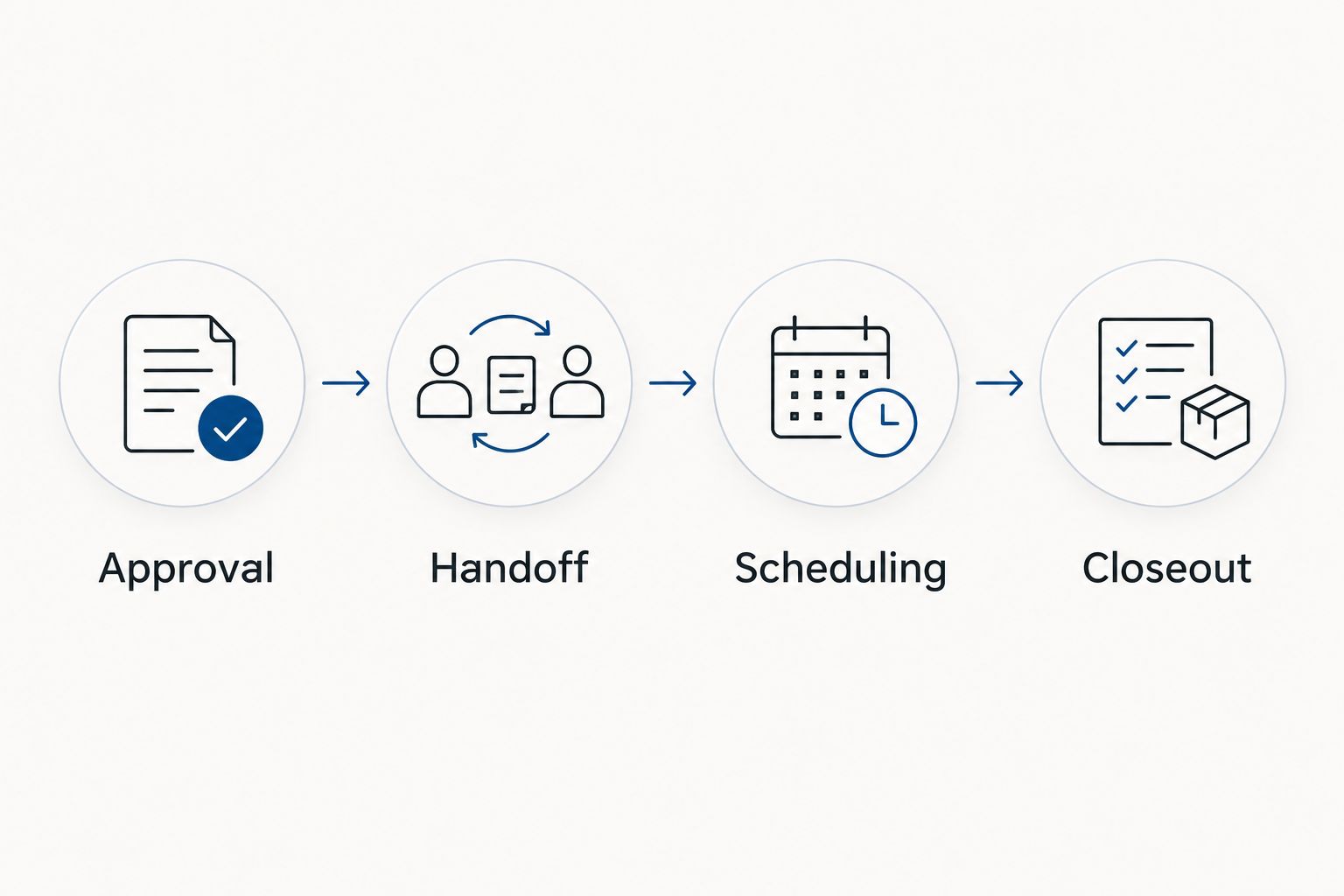
Keep approval and scheduling separate. Approval authorises the handoff for contractor review; it does not establish a confirmed installation date. Store the contractor's scheduling response before changing the job to a scheduled state.
Job packet mapping
- Map the property and work-order identifiers into the outgoing record. Keep both identifiers visible so a reply can be attached to the correct building and task.
- Add the affected area, reported concern, approved assessment scope, photographs, and relevant previous work. Describe observations without turning them into an unverified diagnosis.
- Include the site contact, occupancy constraints, and proposed access window. State who will confirm access rather than treating a requested window as a booking.
- Restrict the outgoing packet to information needed for the job. Transfer sensitive access details through an agreed restricted channel.
Expected result: the recipient can identify the property, understand the requested assessment, and see who controls access without searching unrelated records.
Suggested field map
| Suggested field | What to record | Check before sending |
|---|---|---|
| Property ID | Stable building identifier | Matches the selected property |
| Work-order ID | Identifier for this request | Remains unchanged across updates |
| Affected area | Attic, room, or building area under review | Distinguishes shared space from a unit |
| Assessment scope | Approved request for review | Does not prescribe an unassessed solution |
| Access contact | Person coordinating entry | Has permission to arrange access |
| Supporting files | Relevant photos and documents | Opens for the intended recipient |
| Internal owner | Person accountable for follow-up | Receives errors and replies |
Use 2 identifiers: the property ID and the work-order ID. An address alone does not distinguish separate insulation tasks at the same building.
For rental-specific scope planning, review attic insulation for Calgary rental property landlords. Keep the approved assessment scope in the work order even when supporting guidance lives elsewhere.
Contractor handoff and scheduling
- Send the mapped packet through the agreed connection method. For email, use a consistent subject containing the property ID and work-order ID; keep tenant names and entry codes out of the subject.
- Write the delivery result back to the work order. Record the handoff time and delivery reference when the chosen method provides one.
- Assign contractor replies to the internal owner. Use automatic matching only when the returned identifier is reliable; otherwise, have the owner attach the reply manually.
- Record the assessment outcome and revised scope before seeking any additional approval. Keep the original request visible rather than replacing it with the contractor's findings.
- Enter the confirmed access arrangements only after agreement. Separate proposed dates from confirmed dates and preserve the latest approved scope.
Expected result: the work order shows what was sent, who owns the next action, and whether the contractor has confirmed arrangements. A sent message is not displayed as a confirmed appointment.
Scheduling checkpoint
For a 2026 insulation project, record occupancy and access restrictions explicitly. Ask the contractor for project-specific preparation, exclusion, and re-entry instructions; do not invent those requirements in the automation.
If the work affects occupied units or shared areas, assign a person to coordinate resident communications. The workflow can create that task, but it must not treat task creation as proof that residents received the notice.
Completion evidence and closeout
- Create a completion checklist covering the agreed scope, contractor documentation, relevant photographs, and unresolved items. Separate contractor-reported completion from manager-accepted completion.
- Attach the received evidence to the existing work order. Confirm the property and work-order identifiers before filing documents.
- Route the record to the responsible manager for review. Leave the job open when agreed evidence is missing or follow-up work remains.
- Record acceptance and any separate follow-up task. Preserve the installation record for later maintenance rather than burying it in an email thread.
Expected result: the closed work order contains an identifiable scope, supporting records, and manager acceptance. A contractor reply alone cannot close the task.
Test the complete route
Run 3 test records before expanding the connection: an approved insulation request, an unapproved request, and a repeat event for the approved request. The approved record should send once; the unapproved record should not send; the repeat event should not create another job.
Also test a restricted attachment and a missing property ID. Both should produce a visible exception for the internal owner instead of an incomplete contractor handoff.
Update the job when the approved scope changes
A second workflow handles changes to an existing insulation job. Use it for an amended assessment scope, a changed access window, or additional relevant photographs—not to create another contractor request.
- Trigger on changes to selected fields after the initial handoff. Exclude internal comments and unrelated tenant information.
- Find the existing handoff using the work-order ID. If no match exists, stop and assign the exception to the internal owner.
- Check whether the change needs renewed approval. Route expanded work for approval before sending instructions that imply authorisation.
- Send a clearly marked update describing what changed. Keep the existing job reference and ask for confirmation when scheduling or access is affected.
- Record the acknowledgement separately from the outgoing update. Until confirmation arrives, keep the changed arrangement unconfirmed.
Expected result: a change updates the existing job without duplicating it or bypassing approval.
For your 2026 workflow review, decide which system controls each field. Let the property management record control approval and property identity; record contractor-confirmed scheduling and completion information through the agreed process. Avoid unrestricted two-way editing that leaves conflicting versions of the scope.
Troubleshooting
The same insulation job sends twice
Check whether the workflow listens for both creation and updates. Restrict the first handoff to the approval transition and check the saved work-order ID before delivery. For API-based setups, have your technical owner implement an idempotency check using that identifier.
The contractor cannot open photographs
Test the attachment permissions as an external recipient. Replace an internal-only link with an approved sharing method, then verify it again. Do not solve the problem by exposing the entire tenant or property folder.
A reply lands on the wrong property
Require the work-order ID in the handoff and update messages. Review any matching rule based only on address or email sender; neither reliably identifies an individual task. Route unmatched replies to a person instead of guessing.
The workflow repeats its own updates
Separate externally relevant changes from fields the automation writes itself. A delivery timestamp or status writeback should not trigger another contractor notification. Use a handoff marker and a restricted field-change trigger to stop the loop.
The task closes without evidence
Remove automatic closure from the contractor-notification step. Require completion documents and manager acceptance before closing the work order. If the platform cannot enforce that rule, assign a manual review task and keep closeout under manager control.
Customize your workflow
Expand only after the initial handoff works reliably. Add separate templates for attic assessments, spray foam assessments, and multi-building projects while keeping the same approval and identifier rules.
For your 2026 portfolio, group reporting by property, affected area, responsible manager, and unresolved action. Track the dates already recorded by the workflow rather than inventing response targets or assuming every delay belongs to the contractor.
Aztec Spray Systems provides insulation services; your internal owner remains responsible for software configuration and recordkeeping. Confirm the handoff process before adding another property or changing the outgoing packet.
FAQ
How do I connect property management software to insulation jobs?
Connect approved insulation work orders to a supported contractor handoff, then record replies and completion evidence against the same work-order ID. Use a documented connector, webhook, API, or structured email process supported by your account.
Does Aztec Spray Systems have a property management software integration?
This guide does not establish a native software integration for Aztec Spray Systems. Confirm the contractor’s handoff method before configuring notifications or status updates.
Can I manage insulation jobs without an API?
Yes, use structured email notifications and manual status entry when those methods are supported. Keep the work-order ID in each message and assign someone to file replies and attachments.
Should a tenant complaint automatically create an insulation job?
A tenant complaint should create a review task, not an automatically authorised insulation project. Approve the assessment scope before sending a contractor handoff.
What information should an insulation work order include?
Include the property ID, work-order ID, affected area, approved assessment scope, access contact, and relevant supporting files. Exclude unrelated tenant information and keep sensitive access details in a restricted channel.
How do I prevent duplicate contractor requests?
Check the work-order ID and saved handoff marker before sending another request. Configure scope changes as updates to the existing job rather than new-job triggers.
Can the software close an insulation job automatically?
Keep final closeout under manager review rather than closing the job when a contractor message arrives. Confirm the agreed completion evidence and record acceptance first.
One last thing
Test cancellation, not just success. Withdraw approval on a test job after the handoff and confirm that the internal owner receives a clear action to notify the contractor. Changing a software status does not cancel arrangements already made outside it.
Related guides
- Spray foam insulation for property management companies
- How to prepare a commercial building for spray foam retrofit
- How to maintain spray foam insulation after installation